Closed access for verified schools & institutions Request an invitation
Born in Tanzania. Built for East African schools.

Run every academic day from one school-scoped workspace.

Give school leaders, teachers, families, and learners one dependable place for academic planning, attendance, grades, communication, and student records.

Available in closed access
EduSphere Academic workspace
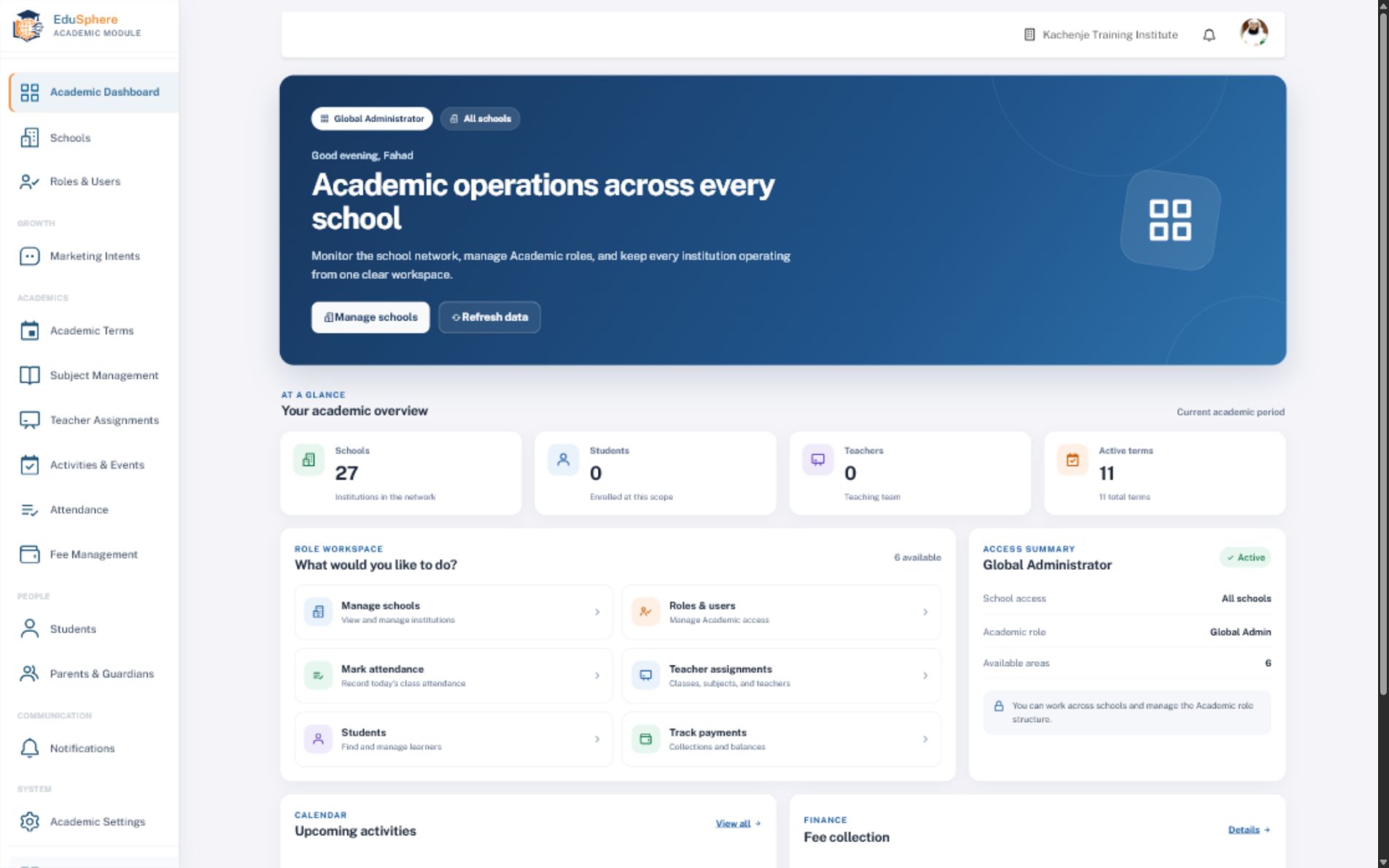
Real EduSphere Academic global administrator dashboard showing school metrics and role-based actions
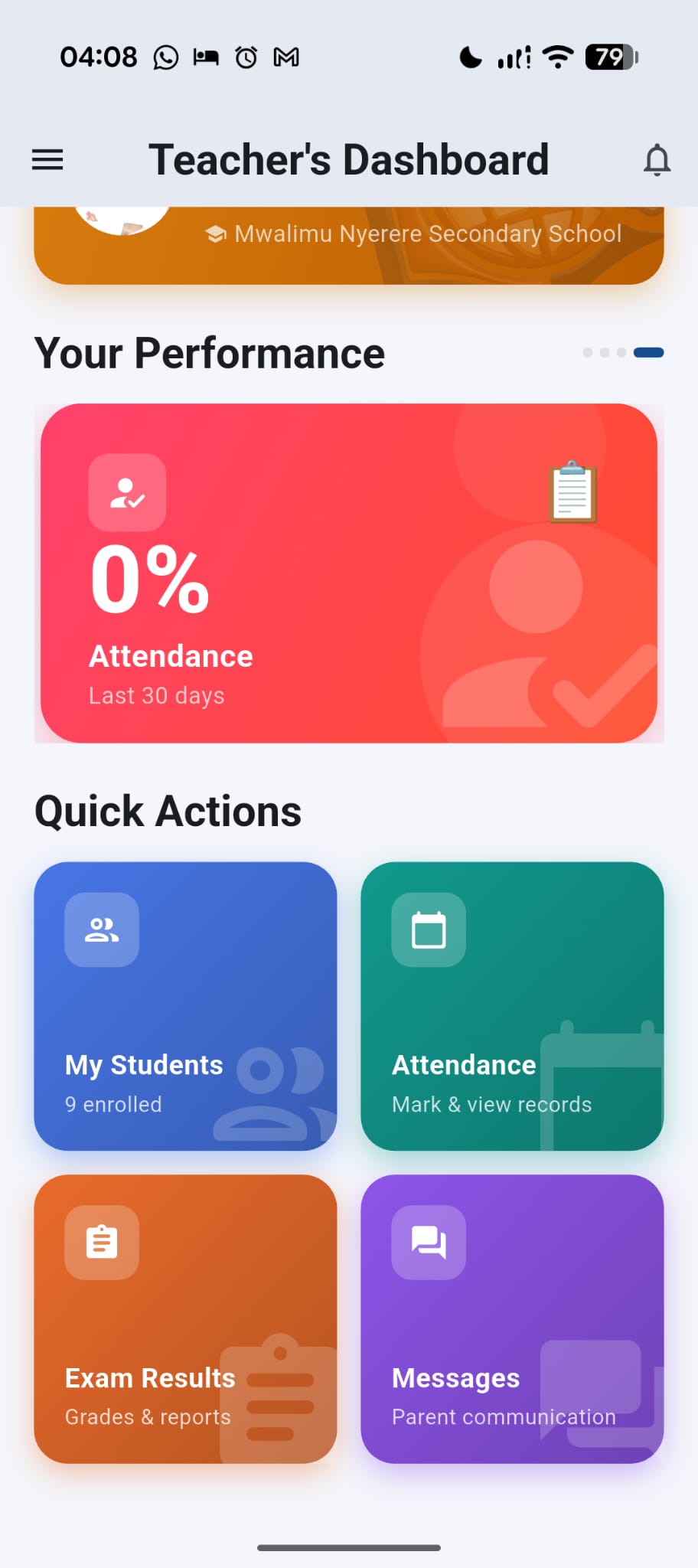
Real EduSphere teacher mobile dashboard showing students, attendance, results and messages
Teacher workspace
School-scoped accessClear responsibility for every role
TZ

Born in TanzaniaDesigned alongside the realities of local schools and institutions.

Ready for East AfricaSchool structures, roles, timezones, and communication that fit the region.

See how it works
One dependable academic rhythm

From school setup to parent visibility.

EduSphere connects the work that usually lives in separate books, spreadsheets, messages, and individual memories.

  1. 01
    Set the school contextAcademic year, policies, roles, and the institution’s working conventions.
  2. 02
    Structure learningTerms, subjects, grades, activities, and the calendar behind the school day.
  3. 03
    Assign responsibilityConnect teachers and staff to the work they are expected to own.
  4. 04
    Follow attendance and resultsTurn everyday records into information leaders and teachers can act on.
  5. 05
    Keep families informedGive parents clearer access to progress and relevant school communication.
Real product. Real school operations.

See the workspace behind the promise.

Explore genuine EduSphere Academics screens used to coordinate school work—not conceptual artwork.
EduSphere Academic role-aware dashboard with school metrics, shortcuts and access summary
Role-aware leadership A dashboard that changes with responsibility. Leaders see the school picture and the actions available to their role.
  • School metrics
  • Role workspace
  • Access summary
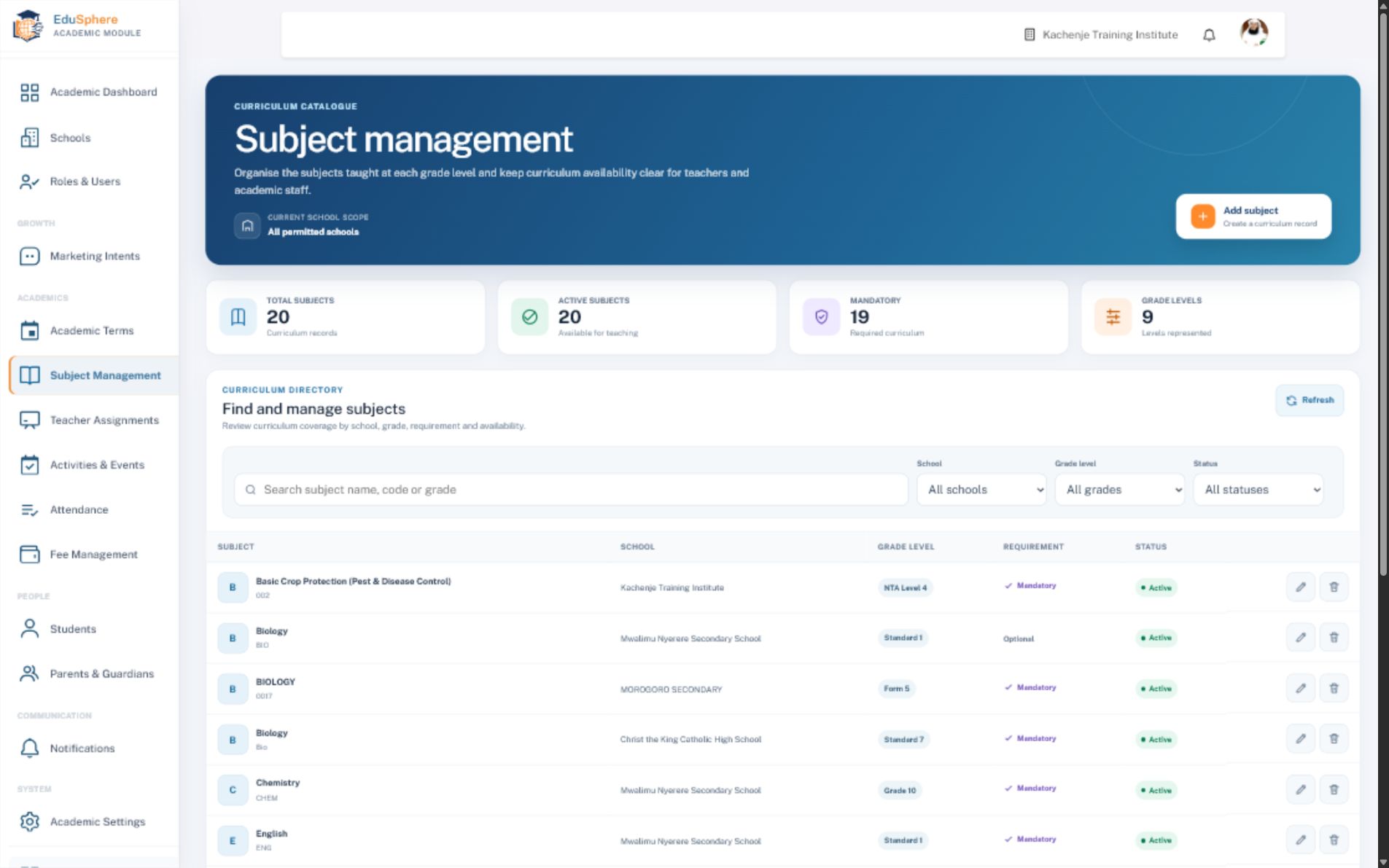
EduSphere Subject Management showing curriculum records, grade levels and school scope
Curriculum structureSubjects stay connected to school and grade.Search, filter, and understand curriculum availability without another spreadsheet.
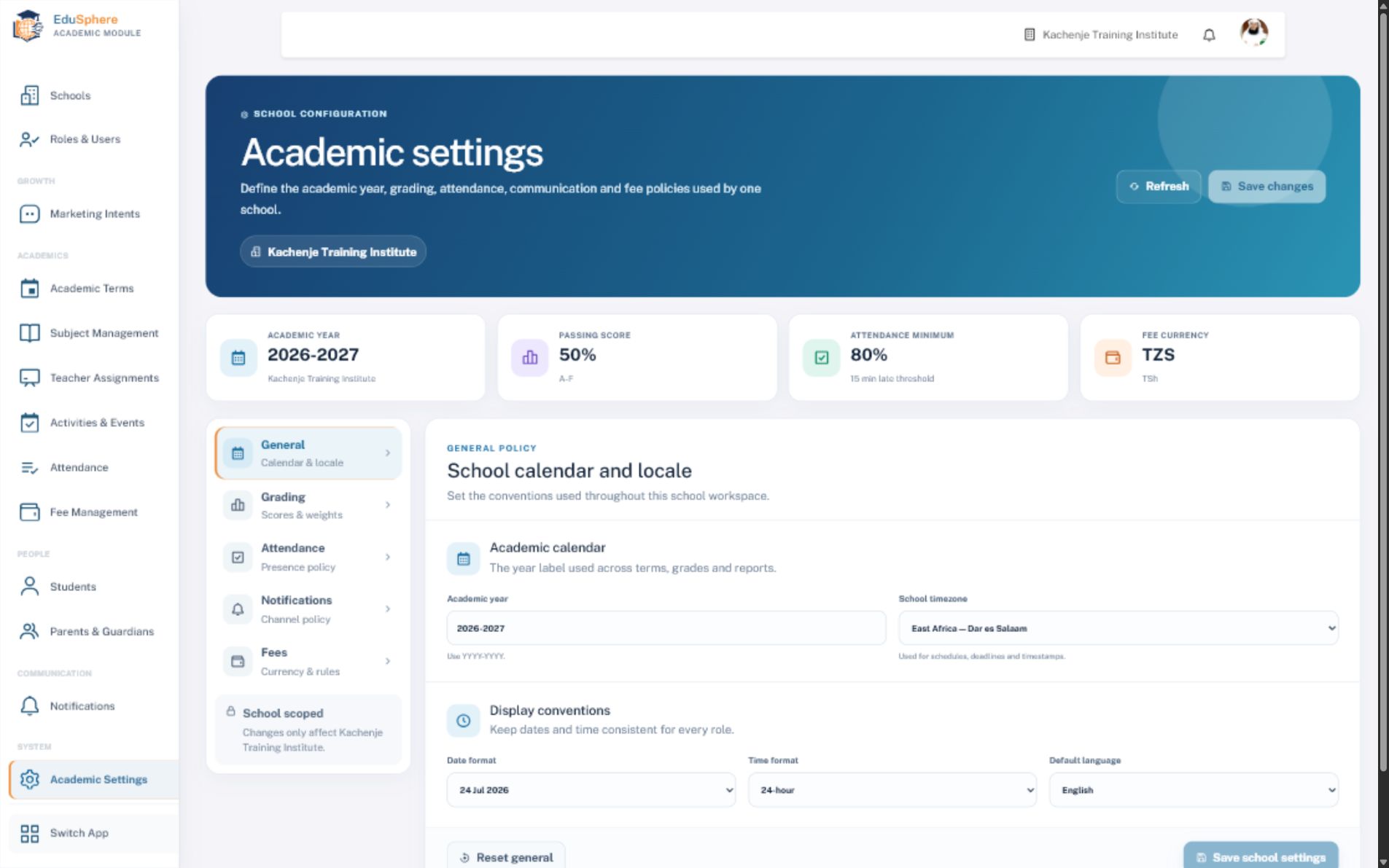
EduSphere school-scoped Academic Settings for calendar, grading, attendance, notifications and fees
School-scoped policyEach institution keeps its own academic settings.Calendar, grading, attendance, communication, and fee conventions remain clear.

Actual interface, school data obscured where appropriate. No stock dashboard mockups.

Designed around responsibility

The same school truth. The right view for each role.

A head teacher should not see the same workspace as a classroom teacher or parent. EduSphere keeps the context shared while shaping access around the work each person must do.

One active school for staffParents can remain connected to multiple learners across multiple schools.
01
Head teachers

Lead with one current school picture.

See school-scoped students, staff, attendance, academic activity, fees, and the work that needs leadership attention.

02
Academic administrators

Build the structure behind a dependable school day.

Configure terms, subjects, teacher assignments, student records, parent relationships, and academic policies.

03
Teachers

Move from class responsibility to action.

Work with assigned learners, take attendance, record results, follow performance, and stay connected to school communication.

04
Parents and guardians

Follow each learner without waiting for paper updates.

View linked learners across eligible schools, understand academic progress, and receive relevant school communication.

Academic work beyond the office

Teachers act. Parents understand. Learners stay visible.

Focused mobile experiences bring the school’s academic information closer to the people who need it.
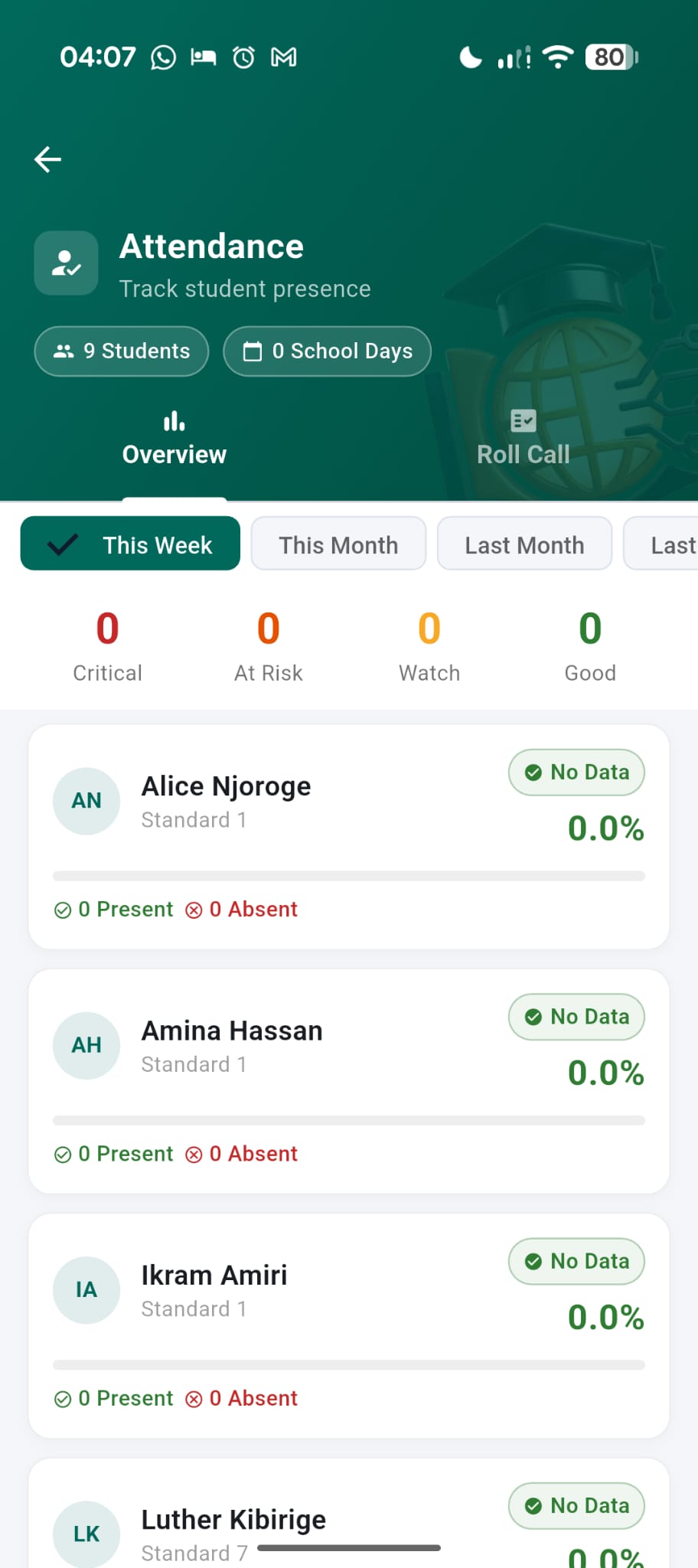
Teacher attendance application showing learner presence overview
Attendance in handTeachers can review presence and identify learners needing follow-up.
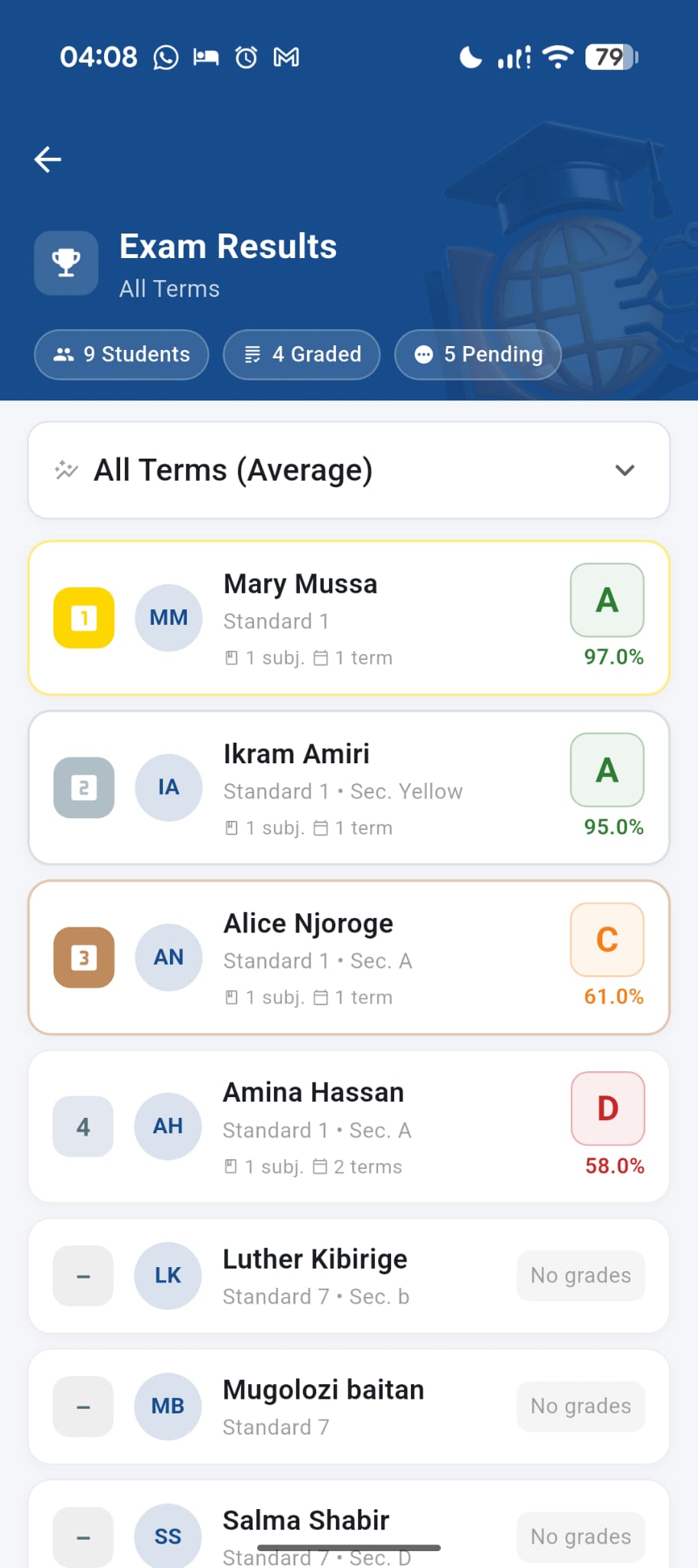
Teacher results application showing student grades and pending records
Results teachers can act onPerformance summaries turn recorded marks into a clearer classroom picture.
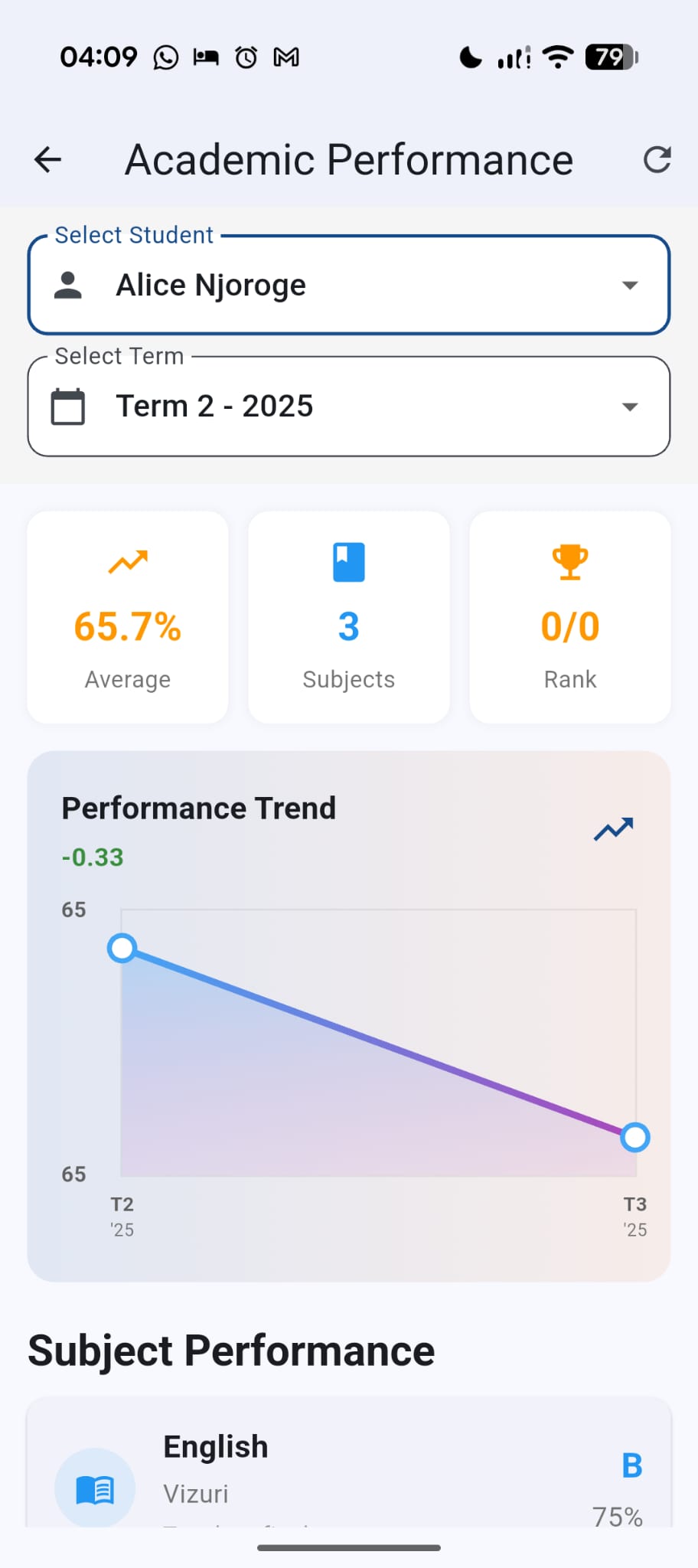
Parent academic performance application showing averages, trends and subject results
Progress families can understandParents follow trends and subject performance without waiting for paper reports.
Connected by school context

One learner journey, understood from every side.

Attendance, grades, relationships, and communication become more useful when they belong to one trusted school record.

Request an Academics demonstration
Core capabilities

Purpose-built for the work behind better education.

Give school leaders, teachers, families, and learners one dependable place for academic planning, attendance, grades, communication, and student records.

01

Plan the academic year

Organise terms, subjects, school activities, grading rules, attendance policy, and the academic calendar in one school context.

02

Put every teacher in context

Connect teachers to the subjects, classes, and responsibilities they own before the school day begins.

03

Act on attendance early

Capture daily presence, review attendance patterns, and help school teams identify learners who may need attention.

04

Turn marks into useful progress

Keep grades, teacher feedback, report information, and the learner profile connected across academic terms.

05

Keep families meaningfully informed

Link parents and guardians to their learners, share school notifications, and make academic progress easier to follow.

06

Protect each school workspace

Give staff one verified school scope with role-based permissions while preserving multi-school access for eligible parents.

Simple commercial direction

The entire suite. One school plan.

We are currently onboarding verified institutions through closed invitations.

Target annual pricingTZS 8Mper school / year
Understand pricing
Frequently asked

Questions schools ask before joining.

Need to discuss your institution directly? Request a verified-school invitation and our team will continue the conversation.

Is EduSphere Academics built for schools in Tanzania?

Yes. EduSphere was born in Tanzania and is designed around the day-to-day realities of Tanzanian and East African schools, while remaining adaptable to each institution’s academic policies and structure.

Which school roles can use the academic management system?

Role-based access supports school leaders, academic administrators, teachers, accountants and staff, while parents and students receive experiences appropriate to their relationship with the school.

Can one staff user work across several schools?

A staff user is assigned to one active school workspace to keep responsibility and access clear. Parents and guardians may remain linked to multiple learners across multiple schools.

Does EduSphere support attendance, grades and parent communication?

Yes. Schools can manage attendance, subjects, teacher assignments, learner grades, parent relationships, activities, notifications, settings and related academic records from one connected workspace.

Can our school join immediately?

EduSphere is currently onboarding verified schools and training institutions through closed invitations so implementation, data readiness and staff onboarding can be handled responsibly.

Built for institutions ready to move forward

Bring your school into one connected future.

Join the closed-access programme for verified schools and training institutions.

Request an invitation